
Table of Contents
- Immediate Actions After Water Damage to Your Phone
- Removing Accessories and Preparing for Drying
- Signs of Water Damage in Phone: What to Look For
- Does Rice Fix Water Damaged Phone? Drying Methods Explained
- Post-Drying Diagnostic Checklist
- Professional Phone Water Damage Repair Cost and When to Call
- Insurance, Warranty, and Data Recovery Options
- Preventing Future Water Damage to Your Phone
Last Updated: August 26, 2026
Immediate Actions After Water Damage to Your Phone
Power off the device immediately. A powered-on phone with liquid inside creates short circuits that permanently damage the motherboard. Remove it from the water source and place it on a dry surface. Don’t shake it vigorously or test it, pressing buttons or attempting to charge guarantees hardware failure.
Saltwater and chemical-contaminated water are more urgent than freshwater. Saltwater oxidizes components much faster, while chemicals dissolve solder joints and corrode circuit traces. Freshwater gives slightly more time, but treat all water damage as an emergency.
Dry the exterior with a soft, lint-free cloth. Pat gently and pay special attention to the charging port, headphone jack, and SIM card tray, these are direct pathways to the motherboard. If water drips from ports, hold the phone with the port facing downward and let gravity drain it. Don’t use compressed air.
The “golden window” for recovery is the first 24-48 hours. Acting immediately with proper drying methods significantly increases your chances of saving the device.
Removing Accessories and Preparing for Drying
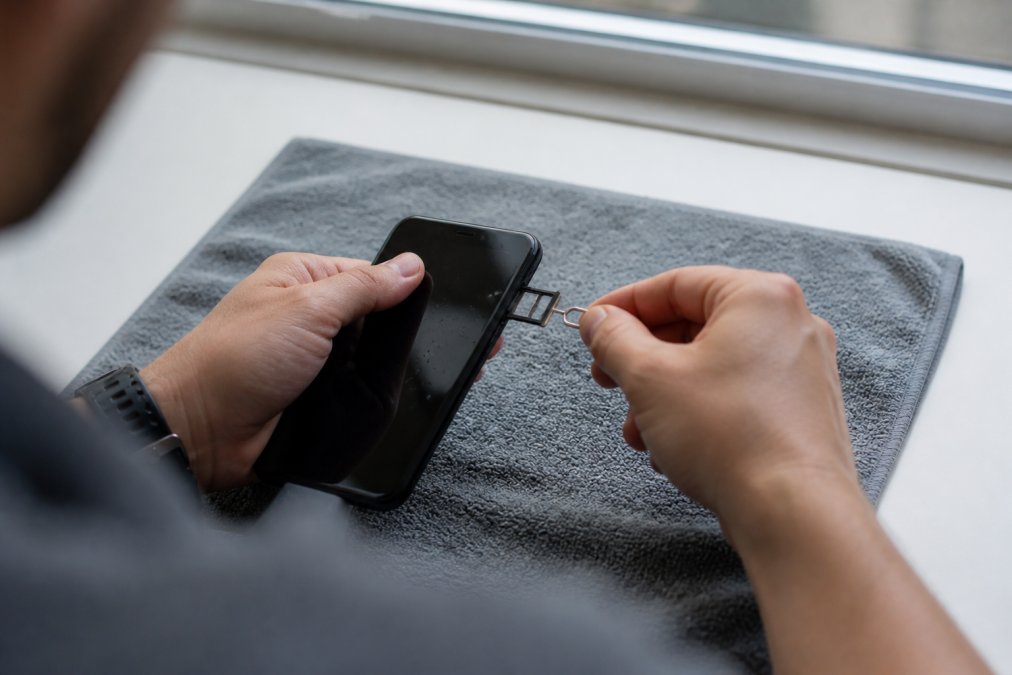
Use the SIM ejector tool to gently pop out the SIM card tray. Remove the SIM card and any microSD card, drying them separately. Water trapped under the SIM card causes corrosion that spreads to nearby components.
Remove the phone case, cases trap moisture and prevent evaporation. If your phone has a removable battery (rare on modern devices), remove it carefully and store separately. Most modern phones have non-removable batteries, so skip this step if yours doesn’t.
Inspect all ports and openings. If you see visible water droplets, use a toothpick or wooden stick to gently encourage drainage. Never use metal objects near ports.
Do NOT attempt to disassemble the phone yourself. Modern phones are glued together and designed to be non-serviceable. Attempting to open the phone voids the warranty and causes more harm than the [water damage](/water-damage-restoration/) itself. Leave internal disassembly to professional repair technicians.
Signs of Water Damage in Phone: What to Look For
The moisture sensor is the most visible indicator. Most phones contain a small white or pink indicator strip inside the SIM card tray or charging port. If this strip has turned blue, red, or dark, water has reached the interior.
Look for discoloration or corrosion on the circuit board visible through the charging port or SIM tray opening. Green, white, or blue crusty deposits on metal contacts indicate oxidization has begun. This internal corrosion spreads if not addressed quickly.
Test the display for dead pixels, cloudy patches, or areas where the screen doesn’t respond to touch. These indicate moisture trapped between the display and phone body. Check the speaker and microphone for distortion or muffled sound. Listen for rattling sounds when you gently shake the phone, this indicates free liquid still inside.
Inspect the headphone jack (if present) for corrosion or debris. If you see green or white deposits, corrosion has started.
A color-changed moisture sensor or visible corrosion on internal metal contacts means serious [water damage](/water-damage-restoration-decatur-ga/). Professional assessment is strongly recommended.
Does Rice Fix Water Damaged Phone? Drying Methods Explained
Rice absorbs moisture but is inefficient. Rice grains are too large to reach moisture trapped deep inside the device, under the display, or in sealed cavities. Rice dust can contaminate ports, and it typically takes 48-72 hours for meaningful drying.
Silica gel packets are dramatically more effective. Silica gel absorbs up to 40% of its own weight in water (peer-reviewed research). Place your phone in a sealed container with silica gel packets for 24-36 hours. The seal is critical, an open container allows humid air to enter and slows drying.
Uncooked rice is better than nothing if silica gel isn’t available. Bury the phone completely in uncooked rice in a sealed container and change the rice after 12 hours if possible. Continue for at least 48 hours.
Avoid heat sources like hair dryers, ovens, or direct sunlight. Heat damages the battery, warps plastic components, and creates thermal stress. Room-temperature passive drying is slower but much safer.
Air drying alone is ineffective. Leaving the phone in open air could take weeks, and the longer moisture sits inside, the more corrosion occurs. Passive drying with a desiccant is the minimum standard.
Saltwater and chemical liquids leave mineral deposits that continue corroding components even after the liquid evaporates. If your phone was exposed to saltwater, consider professional cleaning after drying.
| Drying Method | Effectiveness | Time Required | Cost | Best For |
|---|---|---|---|---|
| Silica gel (sealed container) | Excellent | 24-36 hours | $5-10 | Most water damage situations |
| Uncooked rice (sealed container) | Good | 48-72 hours | $2-5 | Emergency situations, no silica available |
| Open air | Poor | 2-4 weeks | Free | Only if no other options available |
| Hair dryer or heat | Poor | Variable | Free | NOT RECOMMENDED, risks further damage |
Post-Drying Diagnostic Checklist
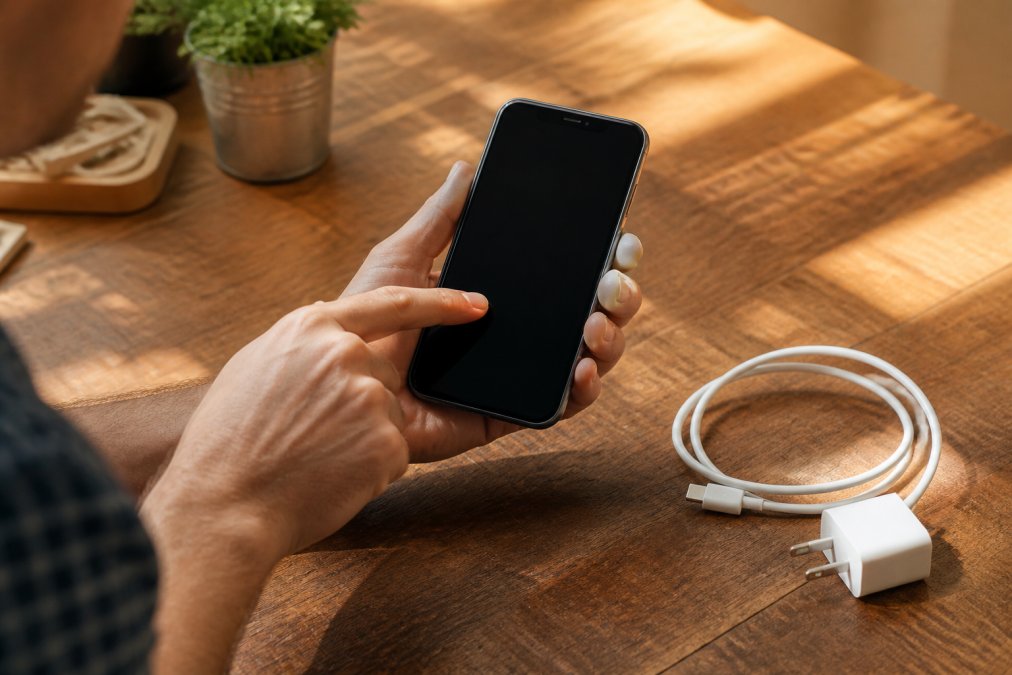
Power on the phone only after it has fully dried, wait at least 24 hours from when you removed it from the desiccant. Powering on too early can cause short circuits if moisture is still present.
Test the touchscreen responsiveness by tapping different areas. The touch should respond instantly and accurately. Check the display for dead pixels, stuck pixels, discoloration, or cloudy patches. Some moisture-related display issues resolve as the last traces of water evaporate; others indicate permanent damage. fix charging port.
Test the speaker by playing audio at moderate volume. Listen for distortion, crackling, or muffled sound. Test the microphone by recording a voice memo or making a test call. Check the charging port by connecting the charger, the phone should recognize it and begin charging.
Test the battery by charging fully and monitoring how long it holds a charge. Test the buttons (power, volume, home) and confirm they respond. Check for unusual behavior: unexpected shutdowns, freezing, apps crashing, or performance lag.
If the phone shows critical failure signs, the screen won’t power on, it won’t charge at all, the battery drains in minutes, or it shuts down unexpectedly, stop using it immediately. Professional repair assessment is necessary.
Professional Phone Water Damage Repair Cost and When to Call
Call a professional repair service immediately if the phone was submerged in saltwater, chemical liquids, or contaminated water. DIY drying may slow damage but won’t remove mineral deposits or chemical residue. Professional technicians have ultrasonic cleaning equipment that removes these deposits from circuit boards. For saltwater or chemical damage, professional cleaning within 24-48 hours significantly improves recovery chances.
If the phone shows signs of permanent hardware failure after drying, the screen won’t power on, it won’t charge, the battery drains instantly, or buttons don’t respond, professional repair is your only option. These failures indicate motherboard damage or component failure that drying alone can’t fix.
Professional water damage repair typically involves assessment, component-level cleaning, corrosion removal, testing, and repairs. Technicians use ultrasonic cleaners, microscopes, and circuit board repair tools. Costs vary based on damage extent and phone model. Minor cases with no permanent damage may only require a diagnostic fee; extensive corrosion or component replacement can be substantial.
When choosing a professional repair service, prioritize facilities with certified technicians trained in water damage restoration. Ask whether they offer data recovery services if the motherboard is damaged.
Aquaflame Restores it offers comprehensive water damage restoration services with 24/7 emergency response and a 30-minute arrival guarantee. They can connect you with certified phone repair specialists who use proper diagnostic equipment and follow industry standards for moisture assessment and component cleaning.
Professional repair is best for: saltwater or chemical water damage, phones showing signs of permanent hardware failure, devices you depend on daily, or situations where data recovery is critical.
Insurance, Warranty, and Data Recovery Options
Most manufacturer warranties explicitly exclude water damage, even if the phone is rated as water-resistant. An IP68 rating means the phone can survive brief immersion under controlled conditions, not real-world water damage (iec.ch).
Check your phone insurance policy. AppleCare+ covers accidental damage including water damage, though there’s typically a deductible ($99-199) (apple.com). Carrier insurance plans vary, some cover water damage, others don’t. Review your policy documents or call your carrier to confirm coverage.
Homeowner’s or renter’s insurance sometimes covers water damage to personal electronics, but only if caused by a covered peril like a burst pipe or storm flooding. Water damage from dropping your phone in the toilet is typically not covered.
Data recovery is possible even if the phone won’t power on. Professional data recovery services can extract data from the storage chip if the motherboard is damaged, though this is expensive ($300-800). Back up your data regularly to cloud storage to avoid needing recovery services.
Preventing Future Water Damage to Your Phone
Use a waterproof case or pouch for situations where water exposure is likely. A quality waterproof case rated to at least 6 feet for 30 minutes provides protection for most scenarios.
Keep your phone away from water sources: pools, bathtubs, beaches, and wet environments. Avoid using it in heavy rain or humid environments. Don’t leave it in bathrooms during showers, steam and humidity can enter ports over time.
Clean the charging port regularly with a dry cloth. Avoid extreme temperature changes, as condensation can form inside the phone when bringing it from cold to warm, humid environments. If you work in high-moisture environments, use a protective case and keep the phone as dry as possible.
Water damage to your phone doesn’t always mean total loss. Acting immediately, powering off, removing accessories, and using proper drying methods gives you the best chance of recovery. If the phone shows signs of permanent damage or was exposed to saltwater or chemicals, professional assessment is essential. Aquaflame Restores it offers comprehensive water damage restoration services with 24/7 emergency response and a 30-minute arrival guarantee, and can connect you with specialists equipped to diagnose water damage comprehensively, perform component-level cleaning, and restore your device with minimal downtime. Their 24/7 availability means professional intervention at the right moment can be the difference between recovery and total device failure.
Frequently Asked Questions
Q: Can a water damaged phone be fixed?
A: Yes, many water damaged phones can be repaired if you act quickly. Freshwater damage is often recoverable if the device is powered off immediately and dried properly. Saltwater or chemical submersion causes faster corrosion, reducing recovery chances. Professional repair technicians can clean internal components, replace corroded circuit board sections, and restore functionality in many cases. However, the longer a phone sits wet, the more oxidization occurs, making repair less likely. Data recovery is usually possible even if the hardware fails.
Q: How long does it take for water damage to show on a phone?
A: Some signs appear immediately, while others emerge over days or weeks. Speaker distortion, touchscreen unresponsiveness, and display issues may show within hours. Corrosion and internal hardware failure typically develop over 24-72 hours as moisture reaches deeper components and causes short circuits. This is why a post-drying diagnostic checklist matters, problems may not be visible right away. If your phone works immediately after drying, continue monitoring it for at least a week, as delayed failures are common.
Q: Does rice actually help a water damaged phone?
A: Rice is not an effective drying method and can trap dust and particles inside your device. While rice absorbs some moisture, it dries phones far too slowly compared to silica gel packets or professional drying equipment. Silica gel desiccants absorb moisture 3-5 times faster than rice and won't leave debris. For best results, use food-grade silica gel packets in an airtight container for 48-72 hours. Professional restoration services use heated chambers and air circulation to remove moisture completely, which is far superior to passive methods at home.
Q: What should I do if my phone still has liquid damage issues after drying?
A: If your phone shows signs of corrosion, won't power on, or has intermittent failures after drying, professional repair is your best option. A technician can inspect the circuit board and internal components for oxidization and short circuits. They may clean corroded connections, replace damaged components, or perform data recovery if the hardware is beyond repair. Warranty void concerns depend on your carrier and phone manufacturer, document everything and contact them about coverage. Professional repair preserves your data and gives you the best chance of restoring full functionality.
This article was written using GrandRanker